Carbon accounting on your desktop. No spreadsheets. No cloud.
Runs entirely on your machine. AI extracts emission data from your bills. One-click ISO 14064-1 inventory report.
Compliance pressure
Three mandates, one tool
CSRD supply chain pressure
European customers require Scope 3 data. No data, no order.
CBAM carbon border tax
EU exports require declared embedded emissions per product.
A-share supplier surveys
Listed Chinese companies collect GHG data from their entire supply chain.
How it works
Three steps to a full inventory
Upload bills
Upload utility bills, fuel invoices, logistics records — PDF, Excel, or images.
AI extracts + matches EFs
AI reads the data and matches to IPCC / ECOINVENT emission factors automatically.
Export report
One-click ISO 14064-1 inventory report in PDF and Excel.
Why CarbonInk
Built different by design
Single-machine
Your data never leaves your computer. Carbon data is a core enterprise asset.
AI as data engineer
Scan bills or import whole ledgers — emission figures in bulk. No manual entry, no spreadsheet patchwork.
Calc + fill in one ledger
Calculate, fill customer questionnaires, and collect supplier disclosures in one tool — suppliers just reply by email, no accounts.
Product screenshots
See it in action
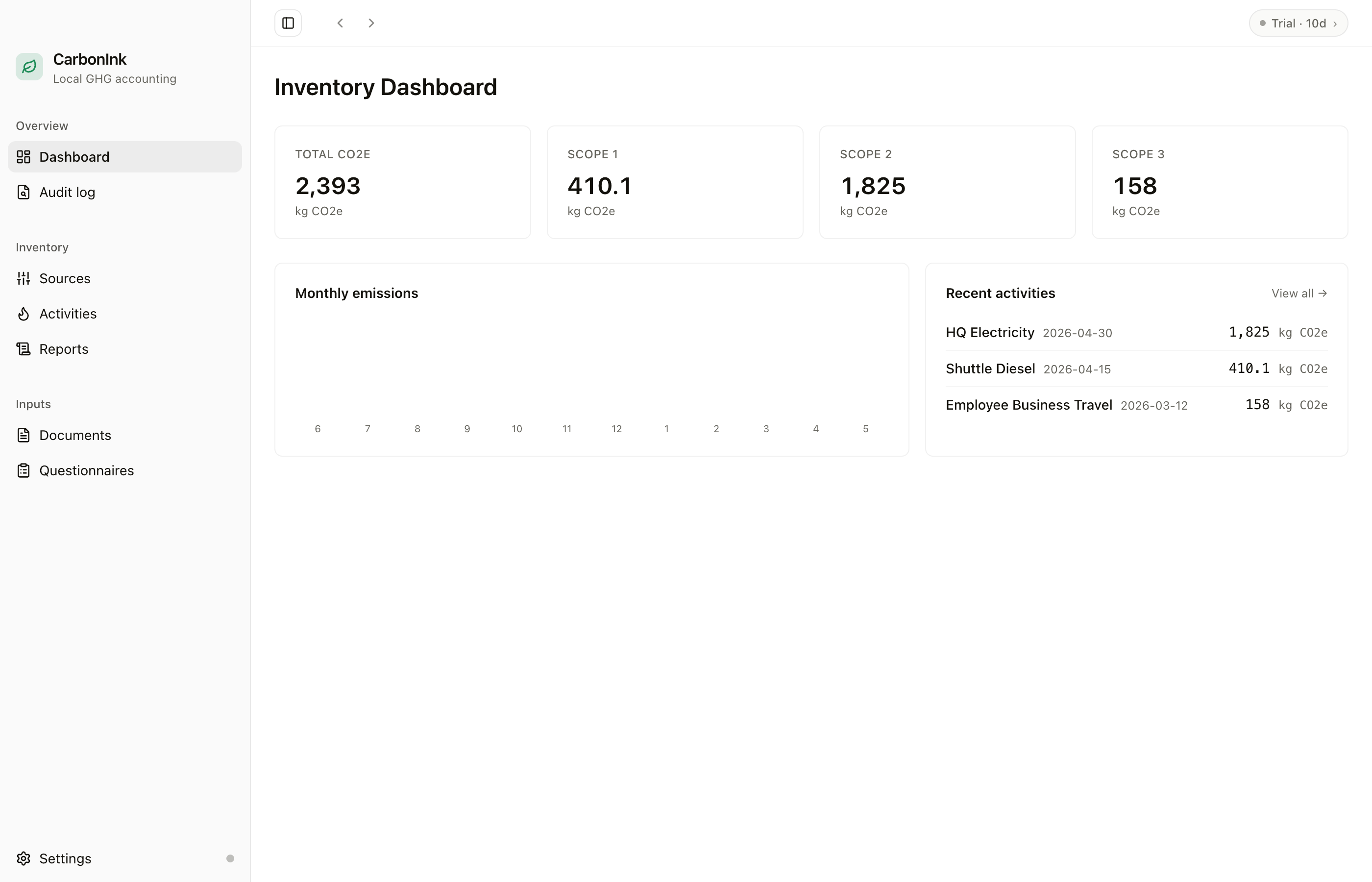
All screenshots are from the real desktop app, not renders.
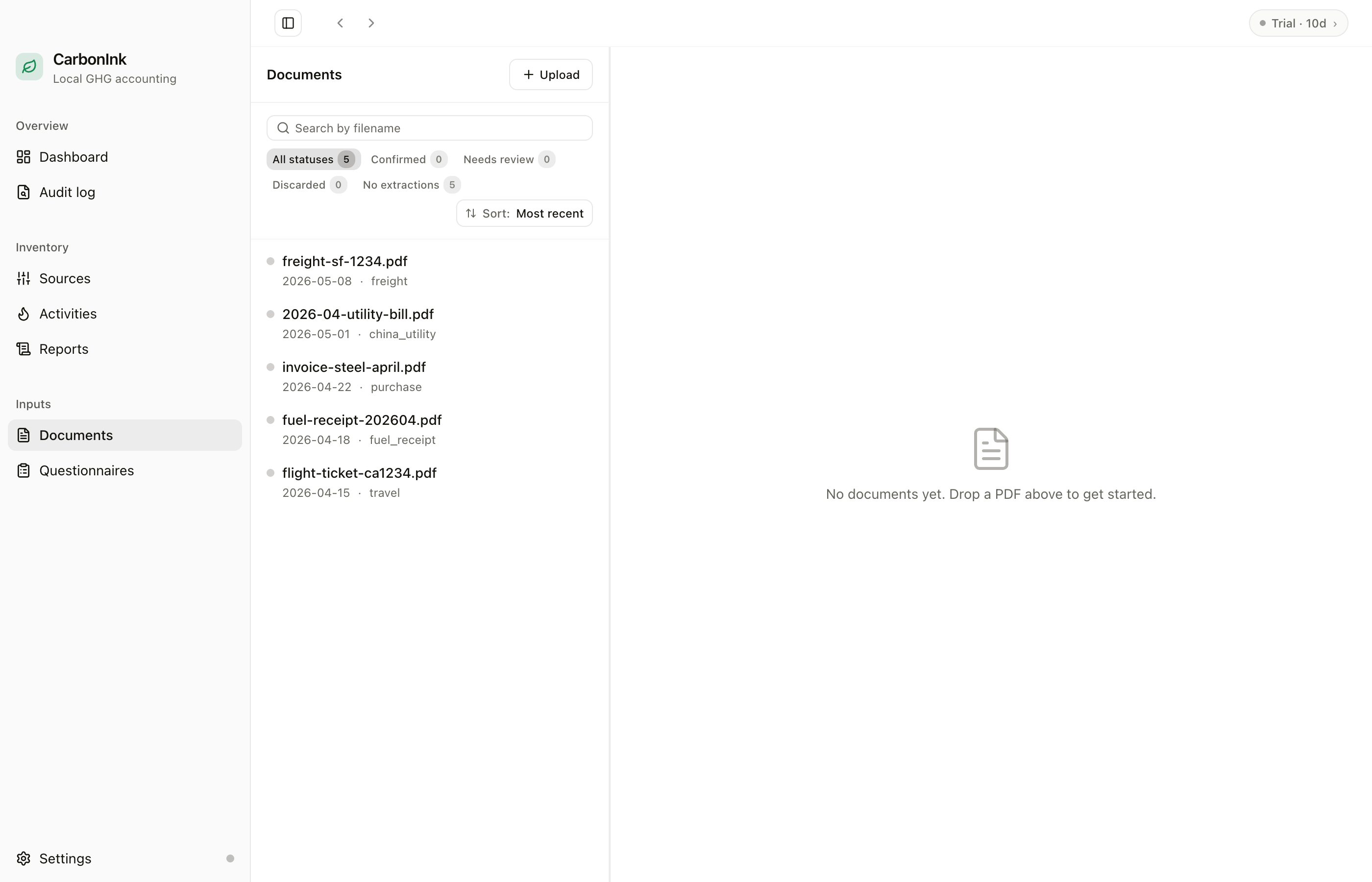
AI bill extraction
Upload electricity bills, fuel invoices, freight records. AI extracts; you confirm.
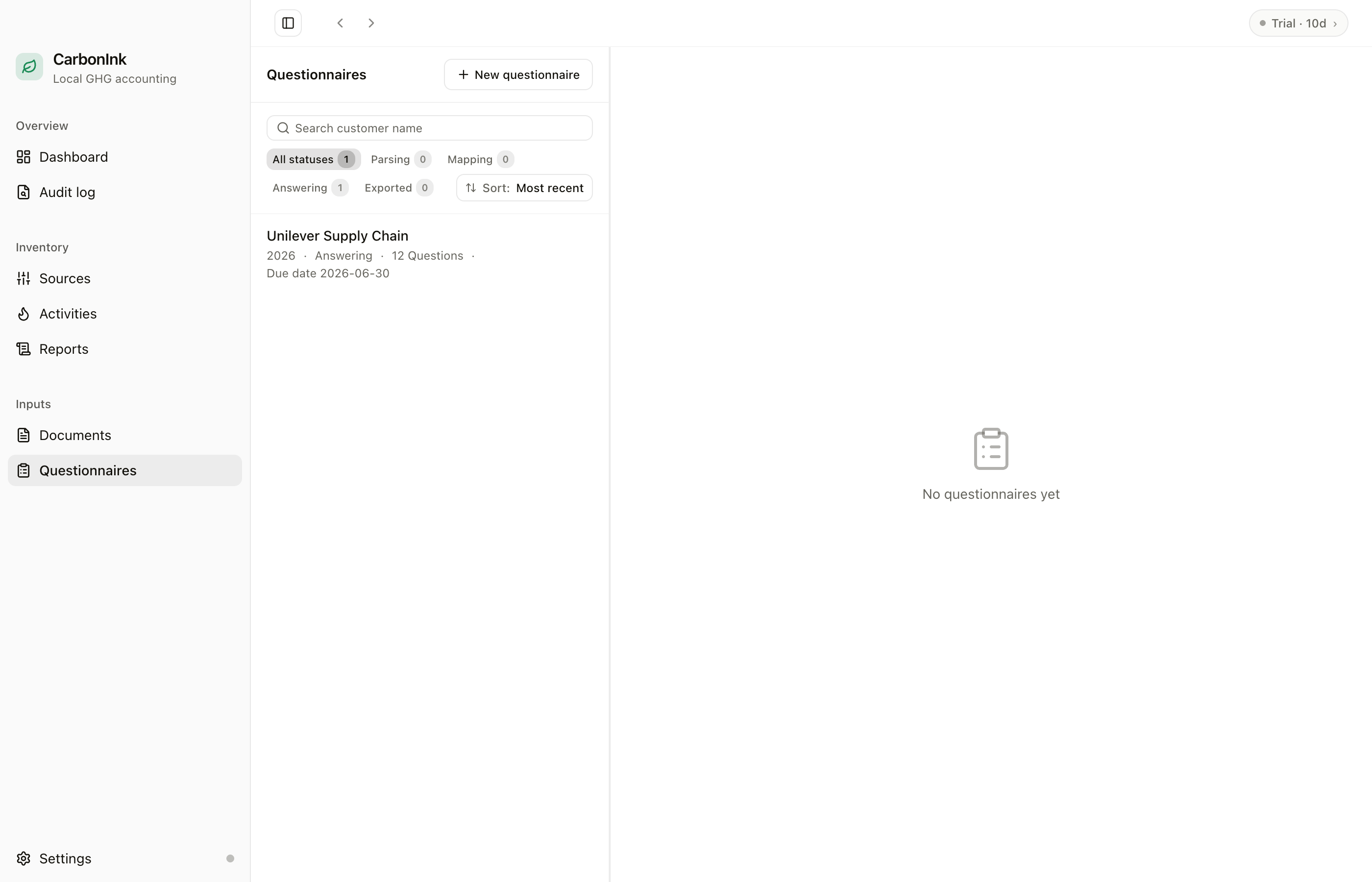
Fill customer questionnaires
Inventory data auto-populates CDP / TCFD questionnaires for your customers.
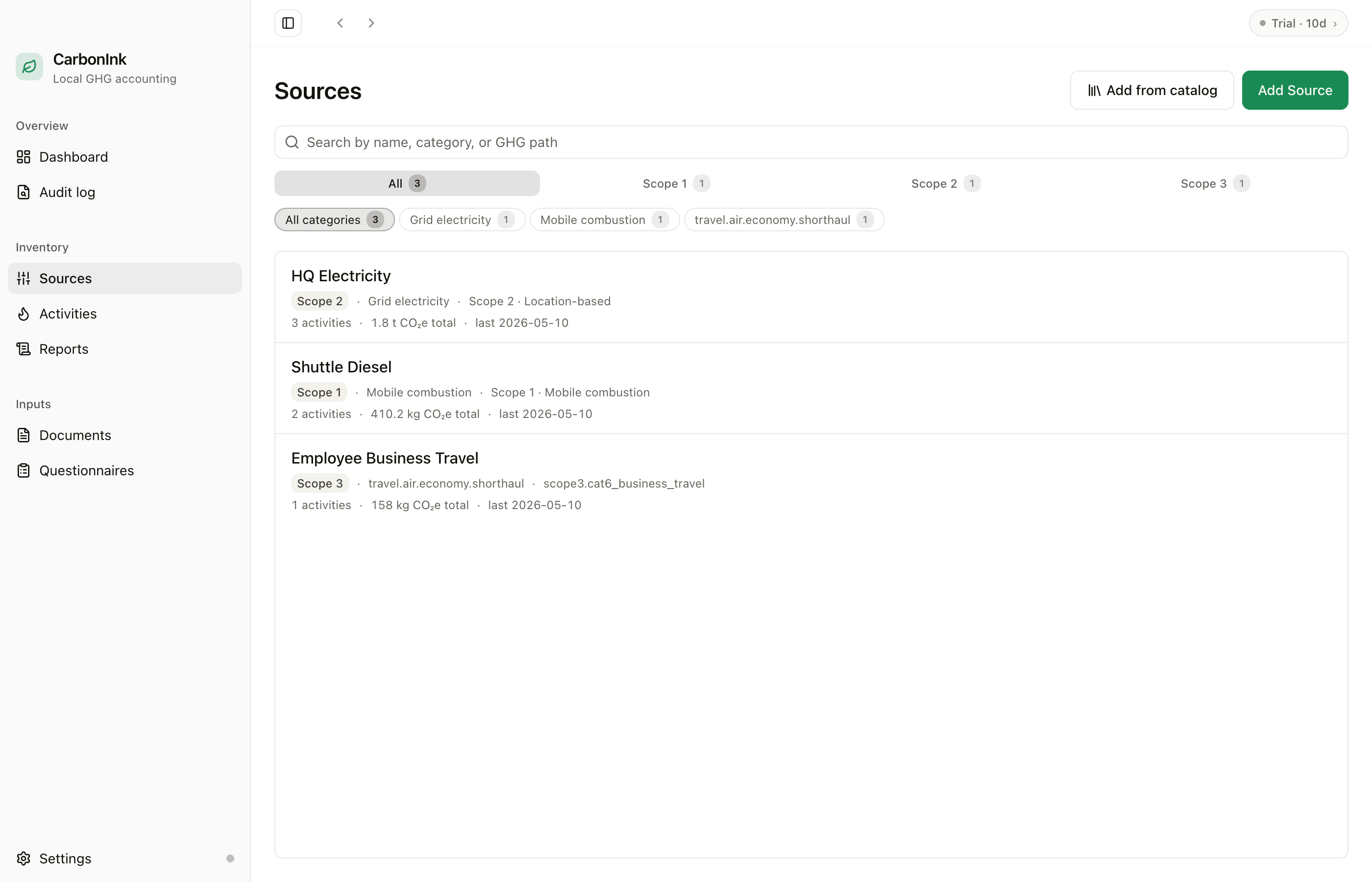
Emission sources + EF library
IPCC / ECOINVENT factors built-in; private EF library supported.
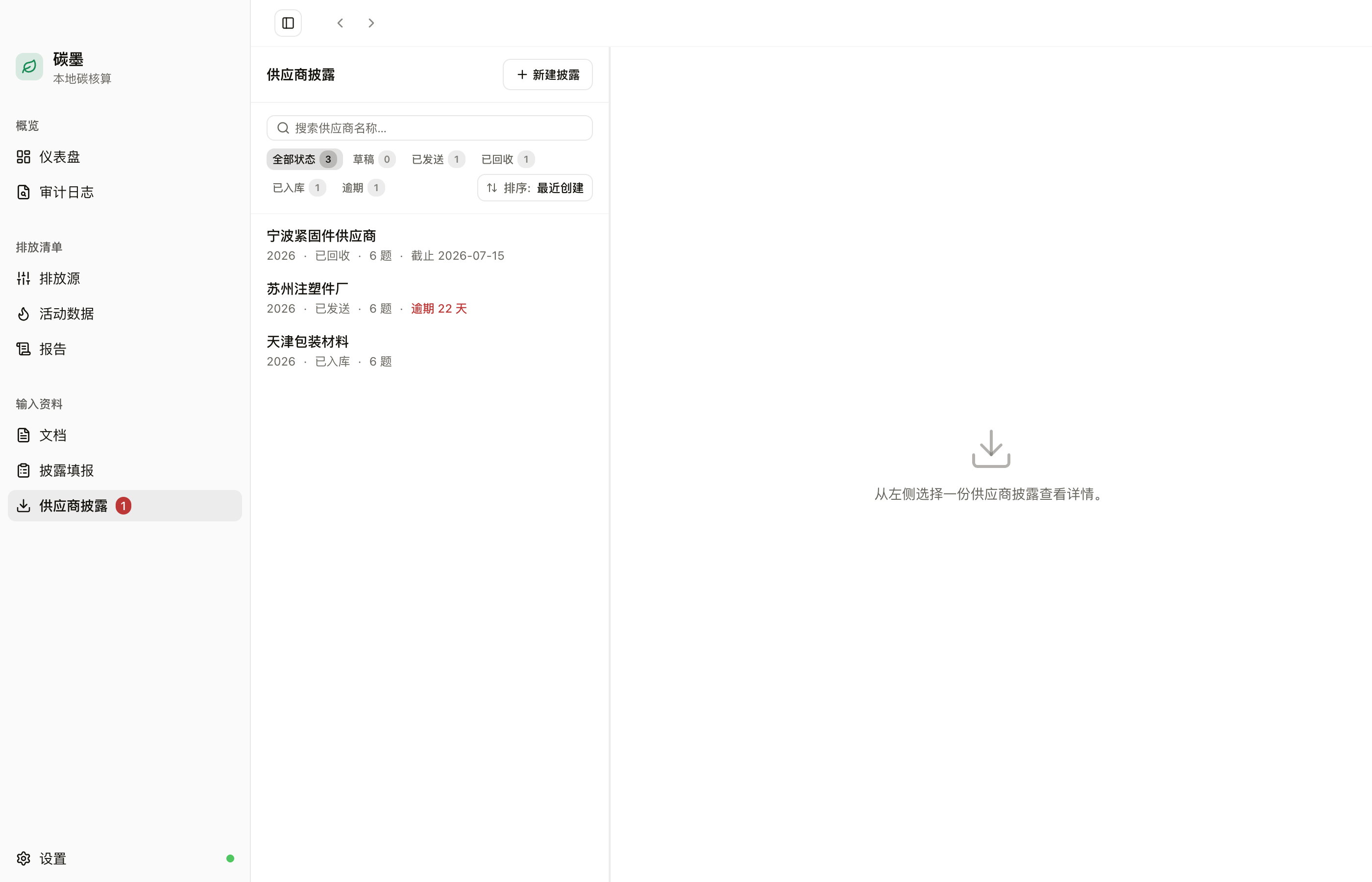
Supplier disclosure collection
Collect Scope 3 data upstream: xlsx email round-trip, overdue flags in red — zero supplier accounts.
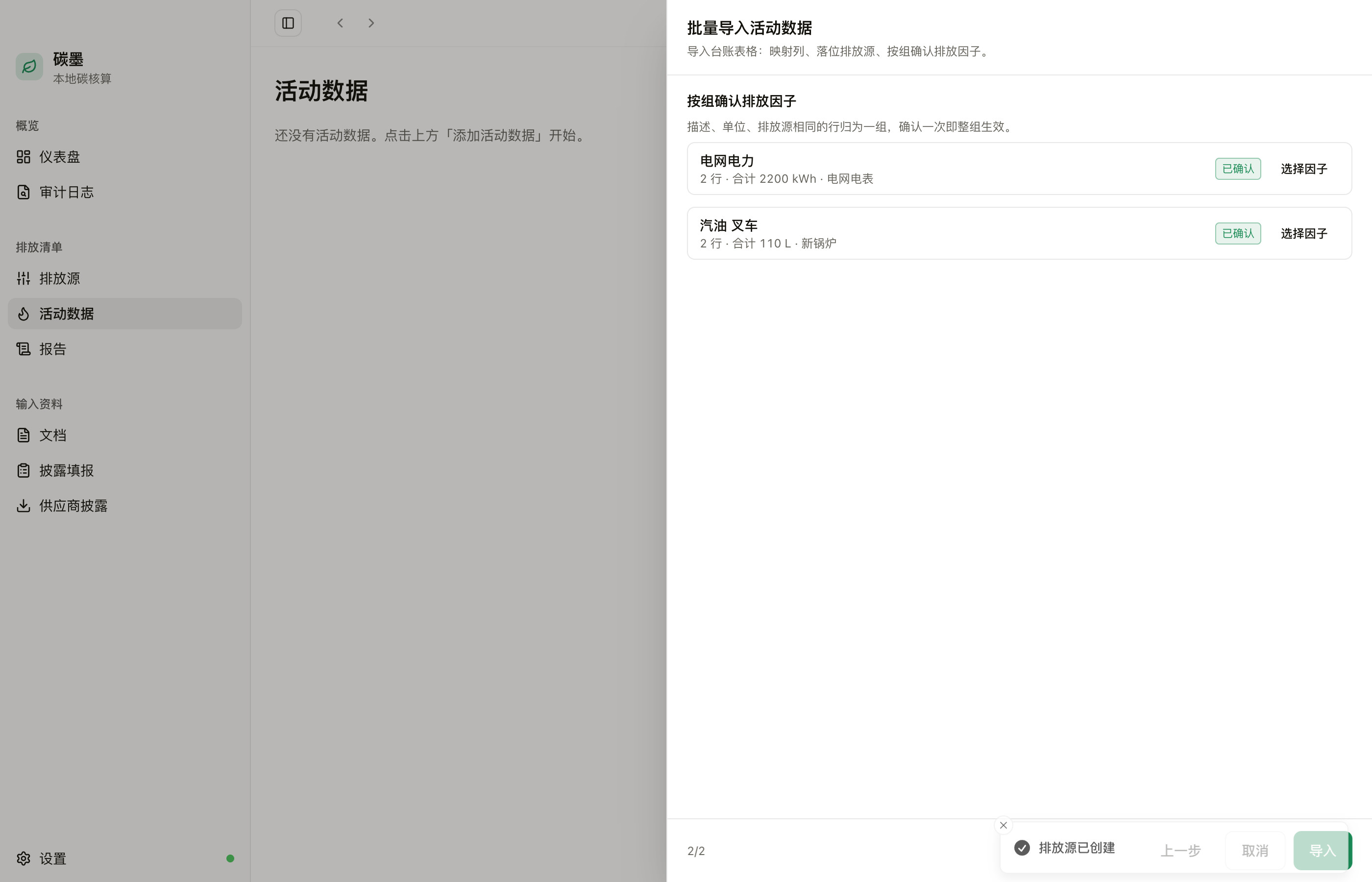
Batch ledger import
Whole xlsx/csv ledgers in one pass; emission factors confirmed per group — thousands of rows, a few dozen human decisions.
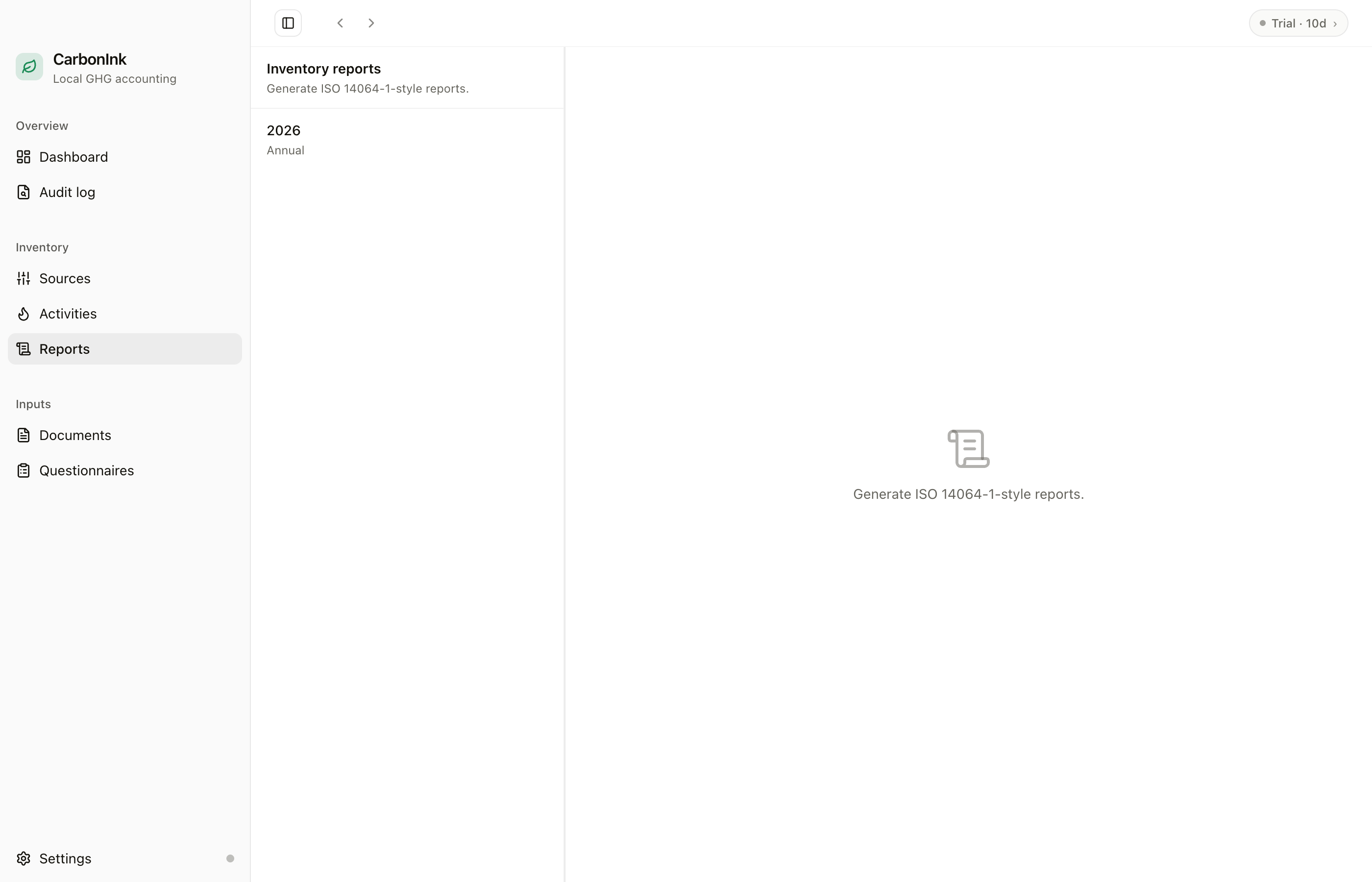
Inventory & disclosure reports
One-click ISO 14064-1 inventory and TCFD four-pillar disclosure export, with full calculations, citations, and version stamp.
Guides
Learn the craft
Supplier Emissions Data Collection: Scope 3 Guide (2026)
How to collect supplier emissions data for Scope 3 inventories: choose between PCF, allocated emissions, and activity data; design a questionnaire suppliers actually return; and keep the numbers audit-ready.
How to Build a GHG Inventory (ISO 14064-1): 7-Step Guide
Build a corporate greenhouse-gas inventory under ISO 14064-1:2018 in 7 steps — set boundaries, collect activity data, pick emission factors, calculate, set a base year, and assemble an audit-ready report.
GHG Inventory vs Verification: Key Differences (ISO 14064-1 & 14064-3)
GHG inventory vs verification: understand who does what, the key differences between ISO 14064-1 and ISO 14064-3, and when third-party verification is mandatory.
Privacy by architecture
CarbonInk has no account, no license, nothing that phones home. What you calculated, filed, or asked the AI — it can't know, because there's no server to send it to.
FAQ
About CarbonInk
Is CarbonInk really free?
Yes. CarbonInk is open-source under the MIT license — no account, no activation key, no subscription, no paywall. Download it and use it; the source code is public on GitHub.
View source →What is carbon accounting?
Quantifying an organization's greenhouse-gas emissions for a year into a traceable, verifiable inventory under a standard like ISO 14064-1 or the GHG Protocol — from source documents (utility bills, fuel invoices) to activity data, emission factors, and CO₂e by category.
The seven-step guide →Where does my data live?
In a SQLite database on your own machine, and nowhere else. CarbonInk runs fully offline — no cloud sync, no accounts. Activity data, emission factors, and report contents never leave your network.
Privacy policy →Which AI provider should I use?
Depends on where you are. In mainland China, DeepSeek typically offers lower direct latency, strong Chinese, and low per-token cost. Outside China, OpenAI and Anthropic offer broad model selections. CarbonInk provides regional guidance in Settings → AI Provider — calculation results remain consistent across providers, with differences primarily in network latency and pricing.
Download CarbonInk →Which standards does it follow?
Report export follows ISO 14064-1:2018 (categories 1–6) with a Scope 1/2/3 (GHG Protocol) mapping — one dataset, both presentations.
How the standards differ →How do I collect Scope 3 data from suppliers? Do they need an account?
They register for nothing. CarbonInk has a built-in supplier disclosure flow: export an xlsx disclosure form, your supplier fills it in Excel or WPS and emails it back, and you review and ingest it into activity data in one click. Overdue disclosures are flagged in red, and a reminder email is one click away. Zero supplier accounts, zero platform signup, zero new software — anyone who can open a spreadsheet can respond.
The supplier data playbook →Can I import an existing Excel activity ledger?
Yes. Upload an xlsx/csv ledger: columns auto-map from Chinese or English headers, every row is validated (bad rows are skipped and reported by line), and emission factors are confirmed per group of (description, unit, source) — thousands of rows take a few dozen decisions, and every figure is still human-confirmed. The original file is archived with per-row evidence links for auditability.
Download CarbonInk →How do consultants manage multiple clients?
Workspaces: one standalone local database file per client — physically isolated, individually backup-able and deliverable. Create, rename, and switch in Settings; a fresh workspace boots straight into onboarding, and the sidebar always shows which client you are in. No cloud multi-tenancy means no risk of client data sharing one database.
Download CarbonInk →Which platforms are supported?
macOS and Windows desktop, with automatic updates on Windows, update notices on macOS, and a bilingual English / Chinese interface.
Go to download →